疯了,不管谁创造出人,人老了会死是对的呀——历史对于大多数人来说没有意义,对极少数人可能认为有意义,能分清他到底是为了别人,还是为了他自己
战争死亡率比奥密克戎高,病毒的死亡人群主要是老年人,战争死亡人群主要是年轻人——病毒会传染所以大多数人紧张,战争也是会传染滴,因为想轰轰烈烈的人也很多。
晨思:伟大,荣光,崛起比病毒更可怕!
假如"中弹"和"中冠"选一种,应该都会选后者吧,hold住……
晨思:当媒体,甚至周围充满仇恨和对抗的气息,可能会是社会运动,甚至战争的前奏,当它真的来了,会怀念岁月静好滴——让人激动的,也会把人拖入坑
早,晨思:看不见的东西,通常挡不住,例如:思想,又如……
晨思:老人不消停,世界不和平。野心得不到满足,越老越容易疯狂。
脱吗?会脱吗?,脱了会真的见公母的,要是真脱了不能全怪对方,因为都嘚瑟,得颤抖好一阵子的。
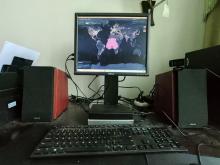
这么冷的天适合"跑显卡、抗新冠"。"射月冲刺",研发新冠口服药,全球2百多万台电脑跑数据供科学研究——尽管发展很快,标题也都很吓人,和西方的差距还远远不只图4中的商标
拍张图,然后在图上编任何故事总有人会信,大多数人不会在乎故事的真实性和逻辑的完整性。
 ,
,  ,
,  ,
,